For BookTok and Bookstagram

Turn BookTok into a reading list.

Share the video. SortBridge finds every book named in it, matches each one to a real edition, and files them into a reading list you can actually search.

One email when the TestFlight opens, one when it hits the App Store. Nothing else, and no sharing your address — here’s the policy.

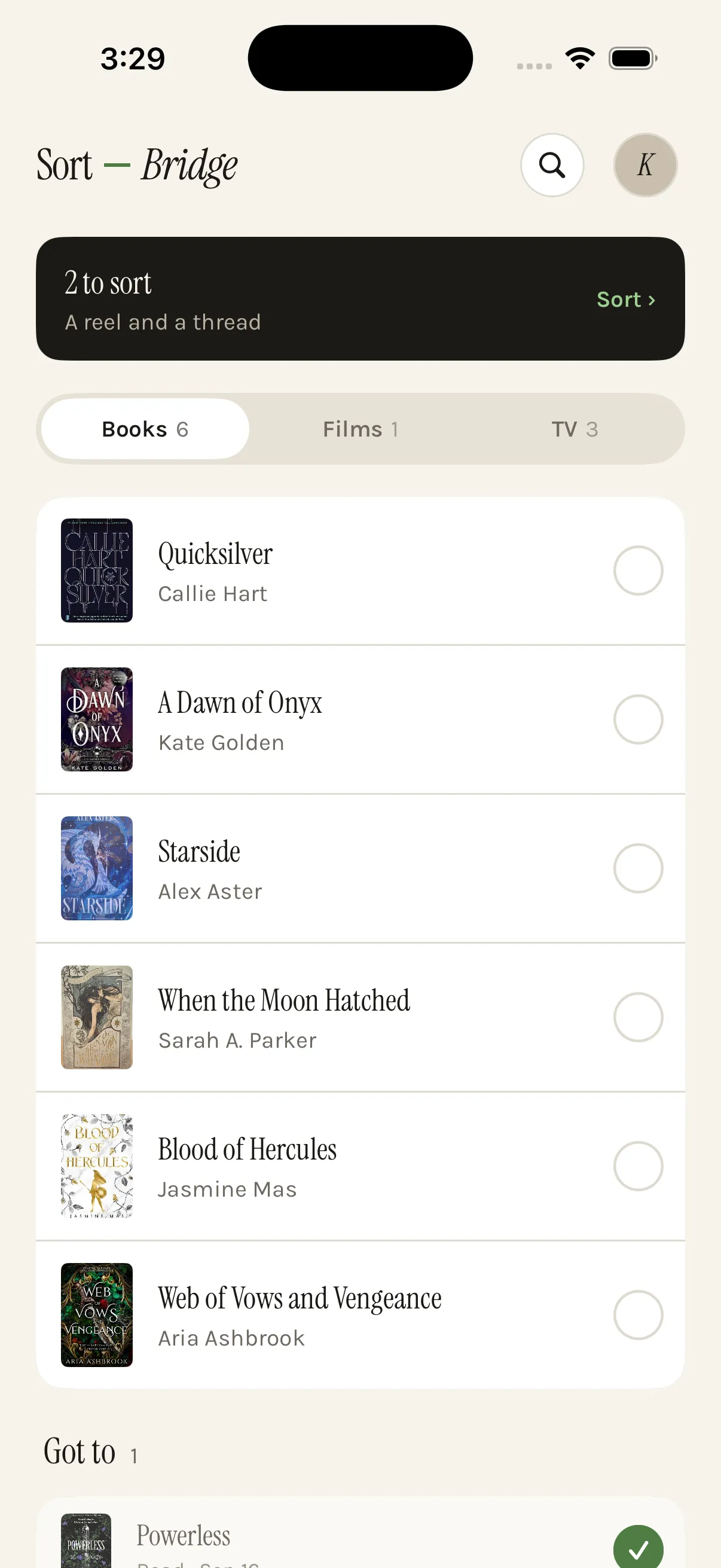
A SortBridge reading list on an iPhone showing Quicksilver, A Dawn of Onyx, Starside, When the Moon Hatched, Blood of Hercules and Web of Vows and Vengeance with their covers.

A saved reel is not a reading list.

Someone names five books in ninety seconds. You tap save. It goes into a grid of thumbnails with no titles, no authors, and no search — on one app, next to four hundred others.

Three months later you want something to read, and you scroll past every one of them without recognising a single cover. The recommendation was good. The storage was the problem.

SortBridge reads the post and writes down what it was actually about, so the title survives longer than the scroll.

Fifteen books, fifteen taps saved.

The hard case is the ranked list — a creator racing through fifteen titles in one video. SortBridge lists all fifteen, pre-ticked, each matched to a real edition with its cover and author.

When the creator says to skip one, it stays unticked and says so. Nothing enters your list without your tap, which is exactly why the confirm screen exists.

  • Matched to a real edition, not a fuzzy title guess.
  • Saved the same book twice from two apps? One entry, not two.
  • The creator’s line is kept, so you remember why you saved it.
‹ Inbox Reel · @readwithmaya

Fifteen books that ruined her. We found all fifteen.

Two she told you to skip. We left those unchecked.

The Bee Sting
Paul Murray · 656 pp
“number one and it isn’t close”
✓
Tomorrow, and Tomorrow, and Tomorrow
Gabrielle Zevin · 416 pp
“cried in a Pret”
✓
Small Things Like These
Claire Keegan · 128 pp
“one sitting, then stare at wall”
✓
Yellowface
R.F. Kuang · 336 pp
“ruined me in a different way”
✓
Iron Flame
Rebecca Yarros · 640 pp
“honestly skip it”
creator said avoid
Save 12 to Books

Questions

How do I save a book recommendation from TikTok?

Tap share on the video, choose SortBridge, and carry on scrolling. SortBridge reads the caption and the creator’s own words, identifies every book named, and shows them as a list you tick. Confirmed books land in your reading list with covers and authors attached.

Does it work with a reel that names fifteen books?

That is the case it was built for. A single reel listing fifteen books becomes fifteen rows, each already ticked, each matched to a real edition. You untick the ones you do not want and save the rest in one tap — no typing.

What if the book is only named in the comments?

On Reddit, comments are read alongside the post, which is where most of the real recommendations live. On Instagram and TikTok, comments are not available to apps, so if the caption does not name the book, take a screenshot of the comment and share that instead — screenshots are read on your device.

Can I import a backlog of books I already saved?

Yes, through screenshots. Select a batch from your camera roll and the text is read on device with Apple’s Vision framework, then matched the same way a shared post is. It is the only honest answer for Instagram, which gives apps no access to your saved folder.

Does it replace Goodreads or StoryGraph?

No, and it does not try to. Those are for tracking and rating what you have read. SortBridge solves the step before: capturing the recommendation in the first place, so it is still there months later. You can export to Goodreads whenever you like.

Films and TV work the same way — see building a watchlist, or how this compares to other ways of saving.

Be there when it opens.

Private testing on iPhone. Free while we figure it out.

One email when the TestFlight opens, one when it hits the App Store. Nothing else, and no sharing your address — here’s the policy.