Guide
What should I do with all the posts I have saved?
Go through them once, take out the specific books, films and shows each post recommends, and keep those in lists you can search. Then the posts themselves stop mattering. SortBridge does the taking-out: share a post or a batch of screenshots, tick the titles it found, and they land in your books, films or TV list with a note of who recommended them.
Why do saved posts pile up?
Saving is one tap and costs nothing at the time. Getting back to it costs a lot: no titles, no search, a separate pile in every app. So the folder grows, and the more it grows the less likely you are to open it. It is not a willpower problem. The folder was built for keeping posts, not for finding what was in them.
How do I clear a backlog quickly?
- One app per sitting. Open your saved folder in one app and work from the newest.
- Share the ones that recommend something. Skip the rest. SortBridge reads the caption and lists the titles named.
- Screenshot the old ones. For posts whose titles are on screen, a batch of screenshots is quicker than opening each one. They are read on your phone.
- Tick and move on. Titles arrive already ticked. Untick anything wrong, save, next.
Saved the same book twice, months apart, from two apps? It stays one entry, and SortBridge remembers you saved it more than once. That is a better signal than any rating.
How do I find a saved reel again?
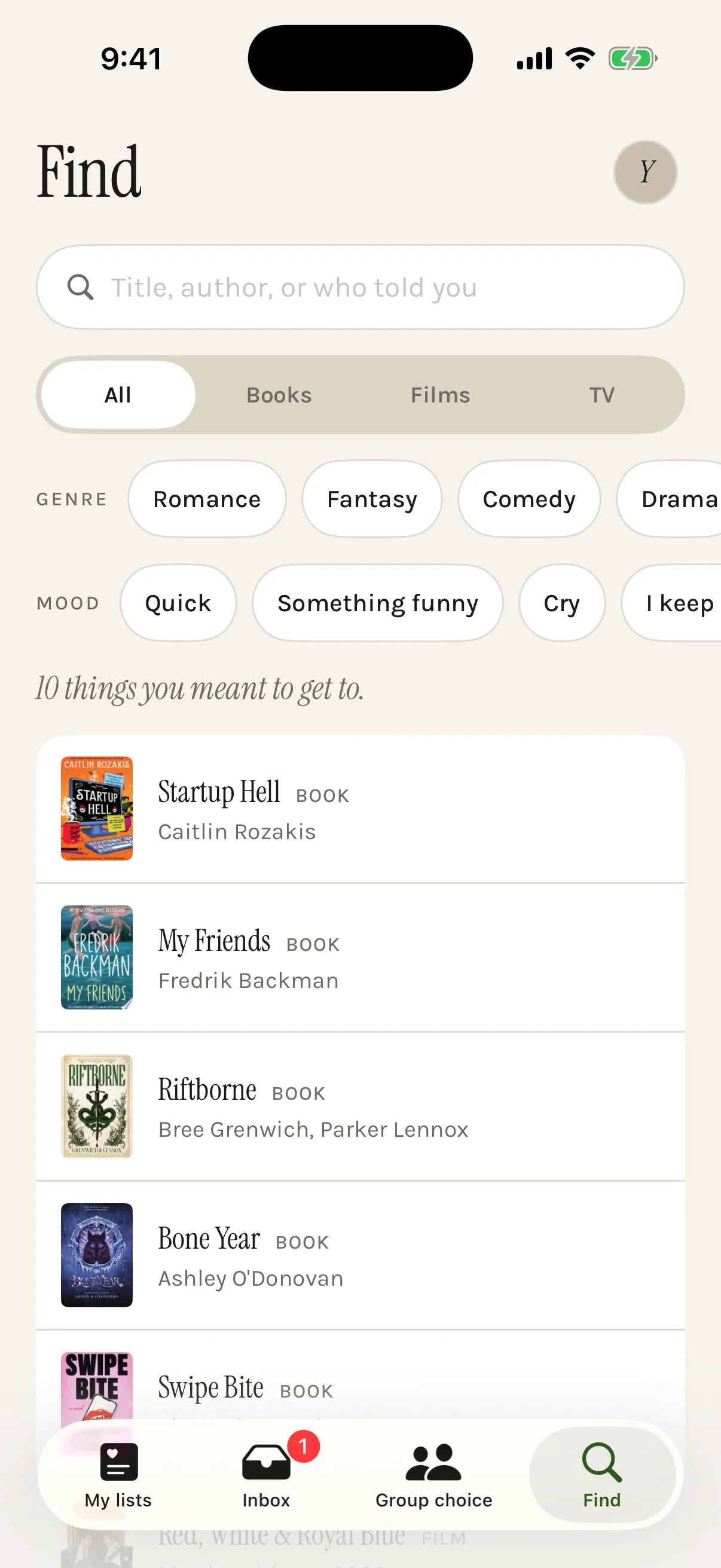
Usually you do not need the reel, you need what it recommended. In SortBridge every saved post gets a short summary and tags, and every title keeps who told you about it. The Find tab searches by title, author or who told you, and filters by list, genre, tag or mood: something quick, something funny, something to cry at, or the one you keep saving.
What do I do with the list once it exists?
Use it. Mark a title done with a swipe and it moves out of the way. Films and shows show where to watch them in your country. And when it is too long to choose from, put a few titles in a poll and let the people you are watching or reading with help decide: see picking a film together or choosing a book club's next book.
Platform by platform detail is in keeping track of TikTok and Instagram recommendations.
Questions
Can an app import my Instagram or TikTok saved folder automatically?
Not honestly. Instagram and TikTok give apps no access to your saved folder, so anything claiming to sync it is either scraping or asking for your password. SortBridge does neither: you share posts in, one at a time or as a batch of screenshots.
Should I unsave the posts afterwards?
That is up to you. Once the titles are in your lists with who recommended them, most people find they never open the post again, and a shorter saved folder is easier to use for everything else.
What about saves that are not books, films or TV?
SortBridge only sorts books, films and TV for now. If you share something else, it says it found nothing, and you can tell it what you were trying to save.
Try it on your own list.
SortBridge is in private testing on iPhone. Leave your email and we will let you in.
One email when the TestFlight opens, one when it hits the App Store. Nothing else, and no sharing your address: here’s the policy.