Guide
How do I find a book or film I saved but cannot find again?
Search for what you remember, not for the title. Usually that is a line from the post, what it was about, or who said it. In SortBridge every post you share keeps its caption and hashtags, a short summary, and the line about each title, and Find searches all of it. Remember a reel about books for writers? Search “writers” and it comes back.
Why can I never find a post I saved?
Because you are looking for it by the wrong thing. A saved folder is a grid of thumbnails, so it can only be found by what it looked like. But what you remember is what someone said: “the one about books for writers”, “the thread where everyone said the ending wrecked them”. That is in the caption, and the saved folder will not let you look it up.
What can I search for?
- A line or a hashtag from the post. “#writersofinstagram”, “cozy”, “slow burn”.
- What the post was about. Each one gets a short summary, like “Books to read if you want to write”.
- Who told you. The creator’s handle, or the subreddit a thread came from.
- What they said about one title. “stayed up until 3am and regret nothing”.
- Your own note. Whatever you wrote down for future you.
- The title or author, when you do remember it.
You do not need the exact words. Small words like “for” and “the” are ignored and endings do not matter, so “for writers” finds a post that said “if you want to write”. Type two words and both have to be there, in any order.
What if I only remember the feeling?
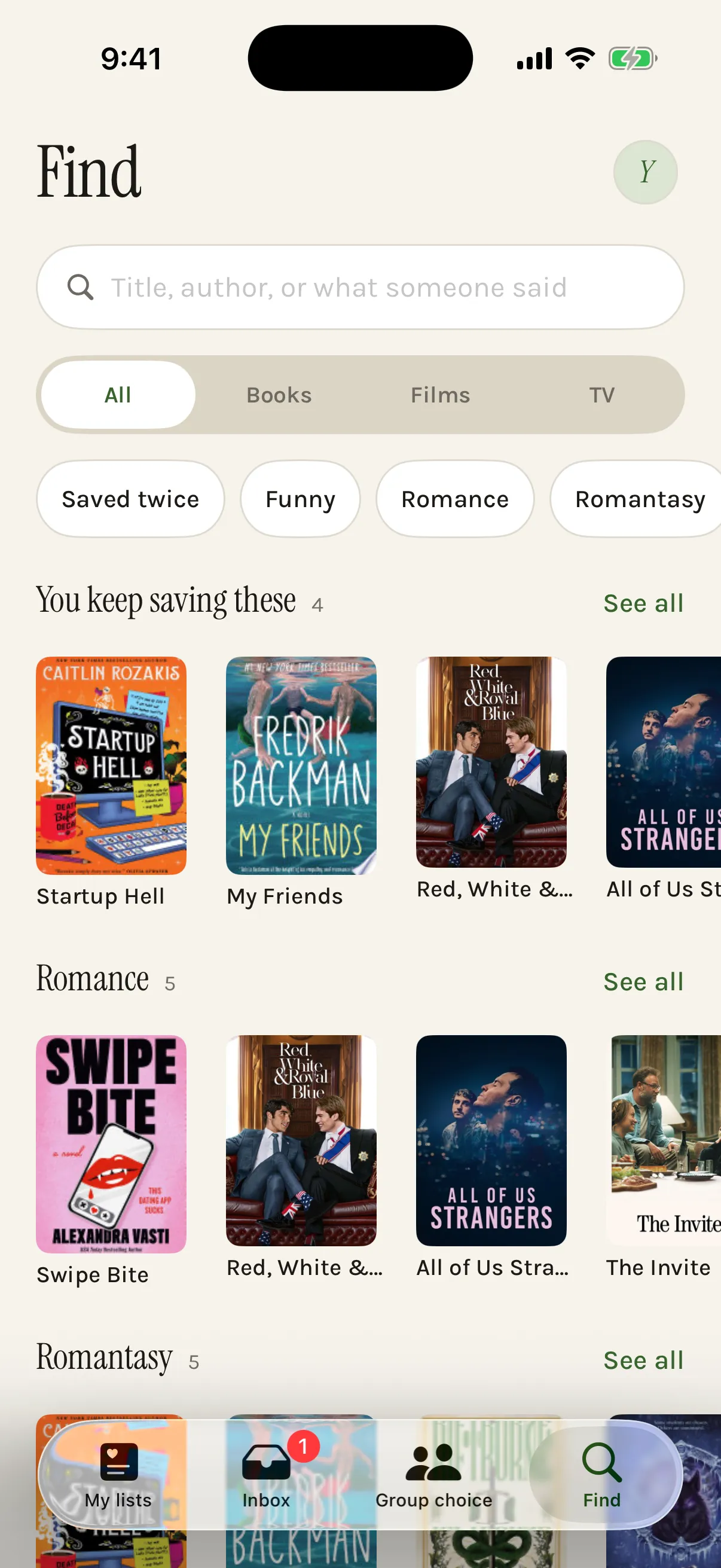
Use the filters instead of typing. Find has something quick, something funny, something to cry at, and the ones you keep saving, plus the tags the posts themselves used, like romantasy or enemies to lovers. Search matches words, so browsing is the better tool when the words are gone.
What about posts I saved before?
Search only covers what you have shared into SortBridge. Old saves can come in as a batch of screenshots, which are read on your phone, and from then on they are searchable too. See what to do with all the posts you have saved for clearing a backlog quickly.
Questions
Can SortBridge search my Instagram or TikTok saved folder?
No. Neither app gives other apps access to your saved folder. Search covers the posts you have shared into SortBridge, which is why sharing a post when you save it is worth the extra tap.
Can I search for something said out loud in a video?
Yes, if you recorded your screen while it played. The speech is transcribed on your phone and only the text is kept, and that text is searchable like a caption.
Does search understand meaning, or just words?
Words. Every word you type has to appear somewhere in what was saved, in any order, and endings do not matter. It will not know that “devastating” means sad. When you only remember the feeling, the filters work better than search.
Try it on your own list.
SortBridge is in private testing on iPhone. Leave your email and we will let you in.
One email when the TestFlight opens, one when it hits the App Store. Nothing else, and no sharing your address: here’s the policy.